

Project type
Personal
My role
UX/UI designer
Timeline
6 weeks
Design brief
Professional and legal documents are full of jargon and complex structures, making them difficult to understand for people with different literacy levels, non-native speakers, or neurodivergent users.
Problem
How might we make legal documents understandable and accessible regardless of literacy level, language, or ability?
Solution
An AI tool that translates legal documents into plain language with section summaries and accessibility controls.
Impact
AAA
WCAG Standard met
100%
Task completion was 100% with no errors.
Project goals
Simplify documents for everyone
Level AA WCAG standard
Ethical and Legal AI tool
Translate complex documents
Research key insights
Complex documents create accessibility challenges
Low vision, cognitive disabilities, or limited literacy prevent individuals from effectively engaging with complex paperwork.
Competitors fall short on accessibility.
Competitor and feature analysis revealed that beyond converting documents into plain text other platforms lack accessibility controls.
"I can read a sentence over and over and just not get it and it frustrates me so bad, I want to have a meltdown."
"Legal documents are so jumbled/ambiguous. They're so wordy that it all blurs together."
Empathy map
Turning user frustration into confidence
We want to transform the process of reading legal documents from frustration and optimistic and assured.

Strategy
User and business goals

How will we reach these goals?
Plain-language summaries (section by section)
Accessibility controls (font size, contrast, audio)
User flow
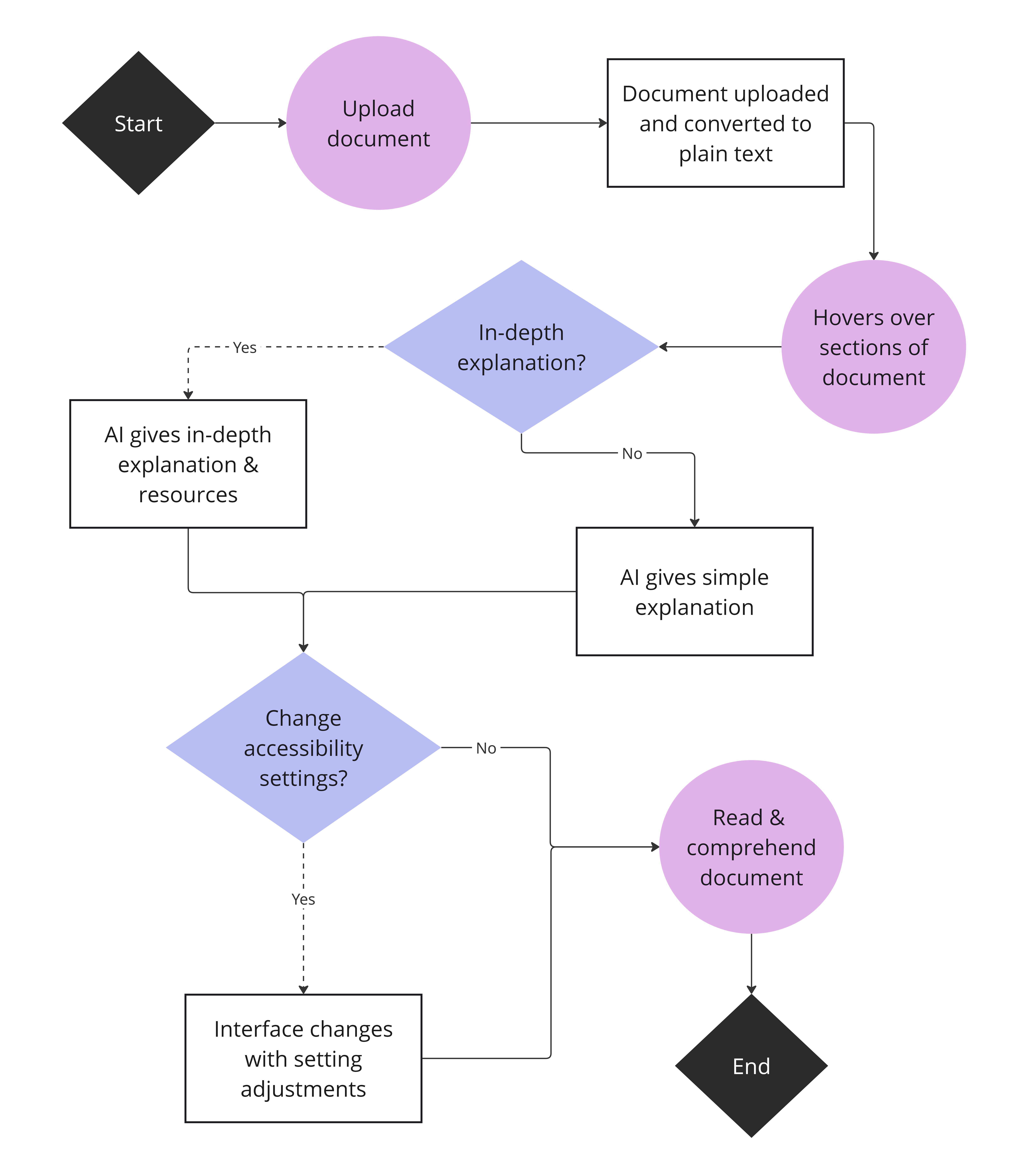
Users upload documents & AI tool interprets
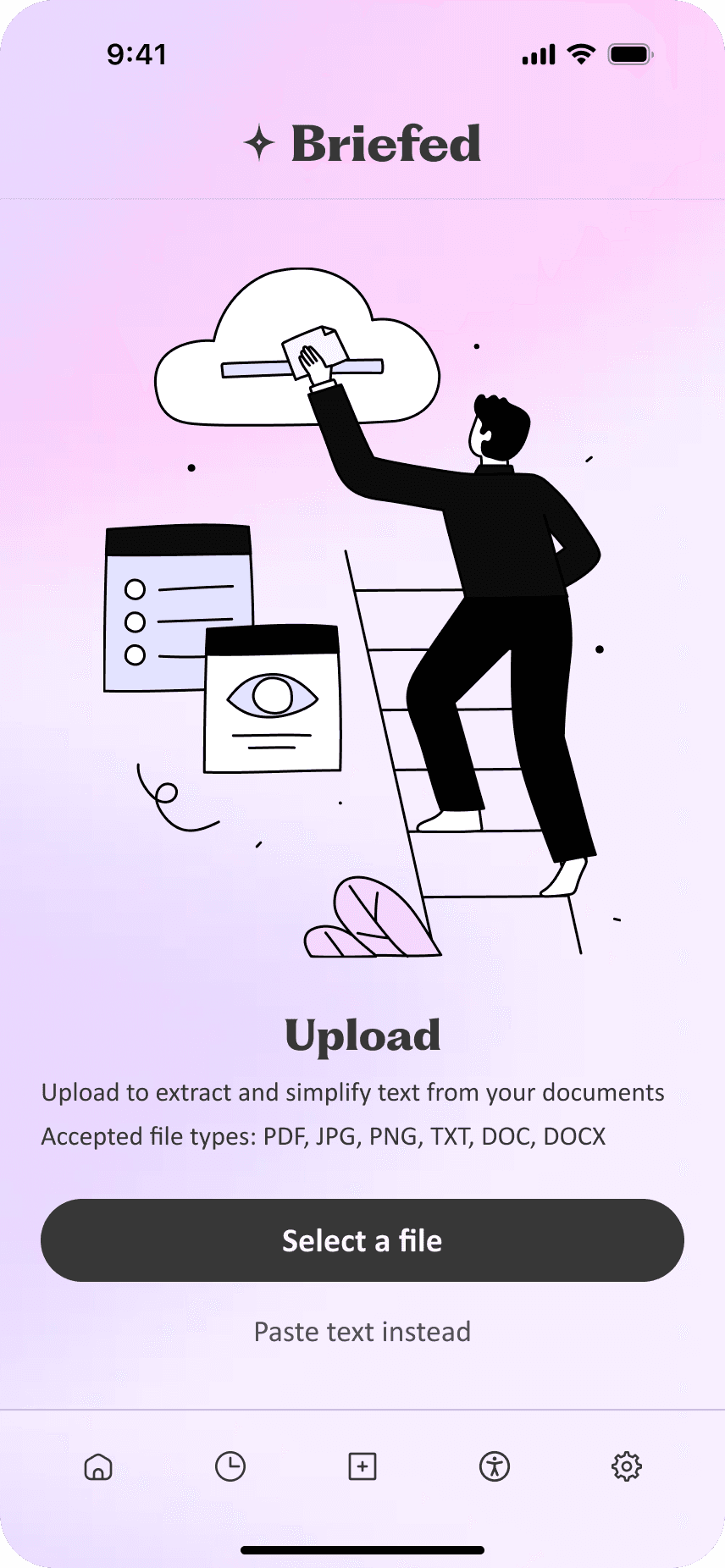
Documents that the users upload are converted to plain text, allowing screen readers to function properly and for accessibility settings to apply. The AI tool will separate the document into clauses and translate those sections for the user.
AI ethics and specifics
Rules AI will learn
To ensure the AI tool is as ethical as possible, engineers can teach it to simply translate information from the document and not give legal advice. There are a few other specific things the AI will learn:
Neutral, clear, consistent language
AI should avoid jargon, technical terms, and complex vocabulary. It will break information into short, concise sentences and paragraphs.
No legal advice
Clearly frame explanations as interpretations of text, not instructions on what action to take.
Paper wireframes
Brainstorming accessible layouts
I originally planned to have all of the features and accessibility options for desktop on the page to make it easier on screen readers & keyboard-only users. Mobile would have all features on the bottom navigation for quick access.
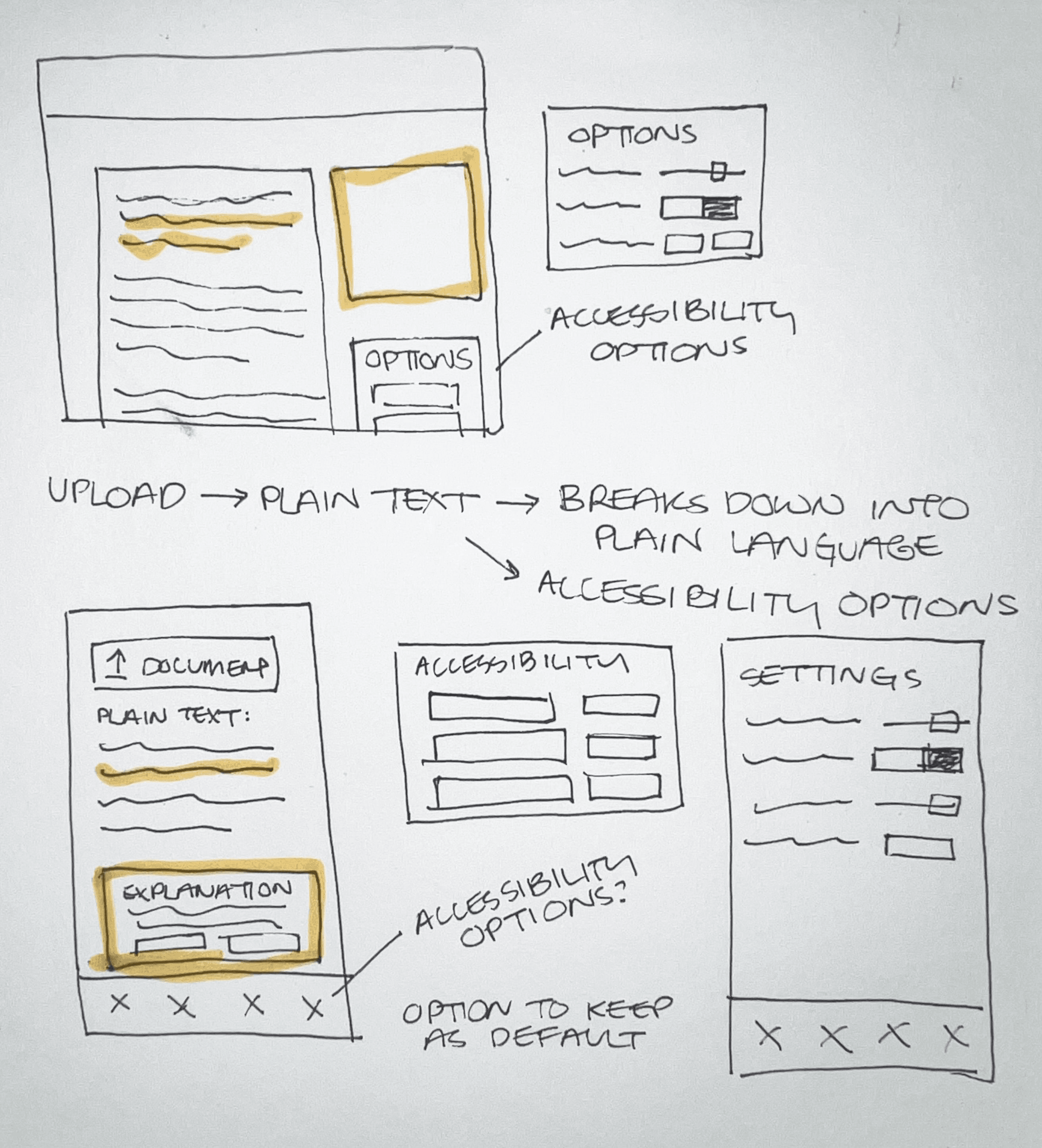
Low-fidelity wireframes
Side-by-side translation
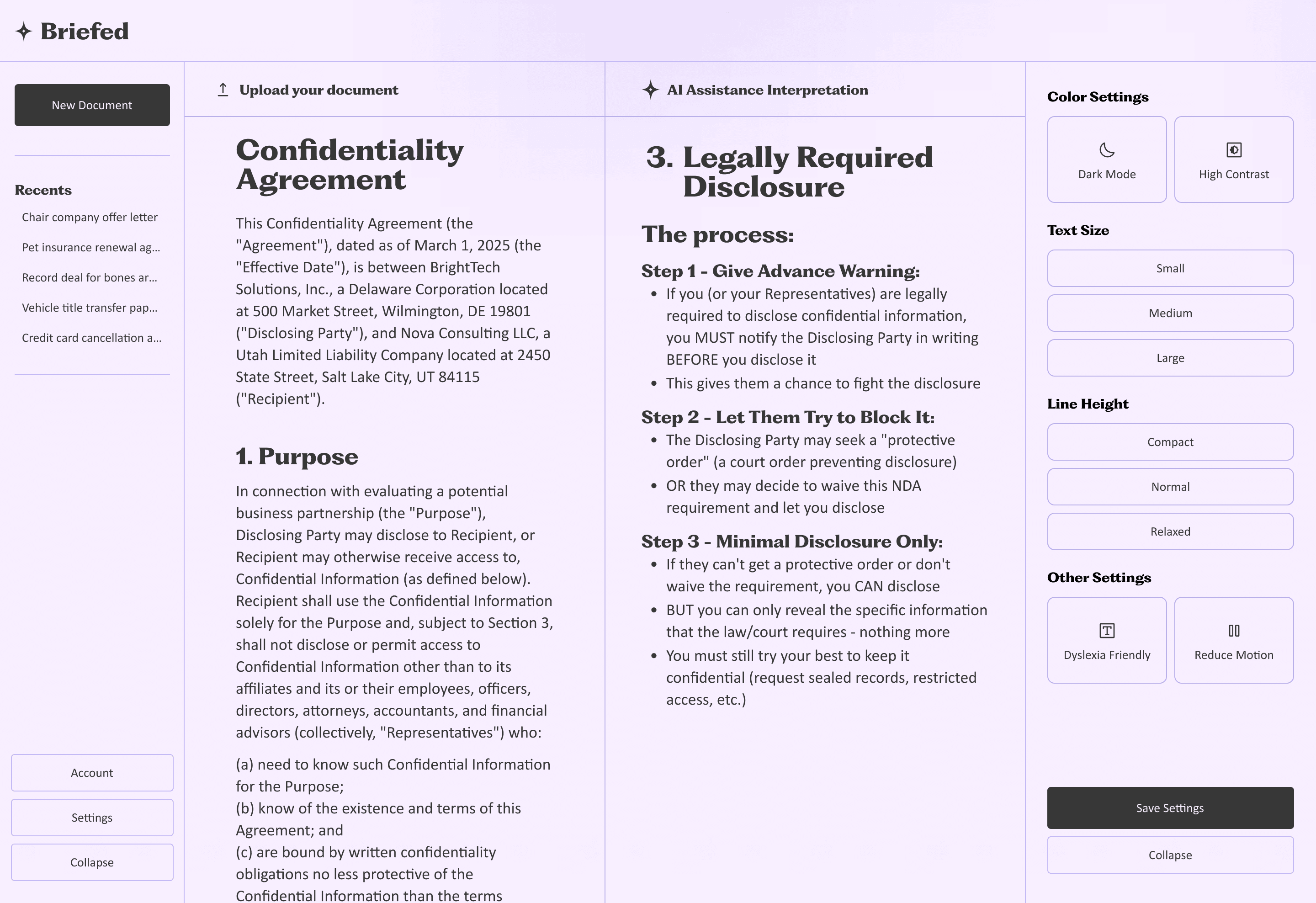
Users drop their document on the left, and the AI splits it into clauses. Hovering highlights a section, and clicking shows the plain-language version on the right. They can easily flip between a detailed view or a simplified summary with a single button.

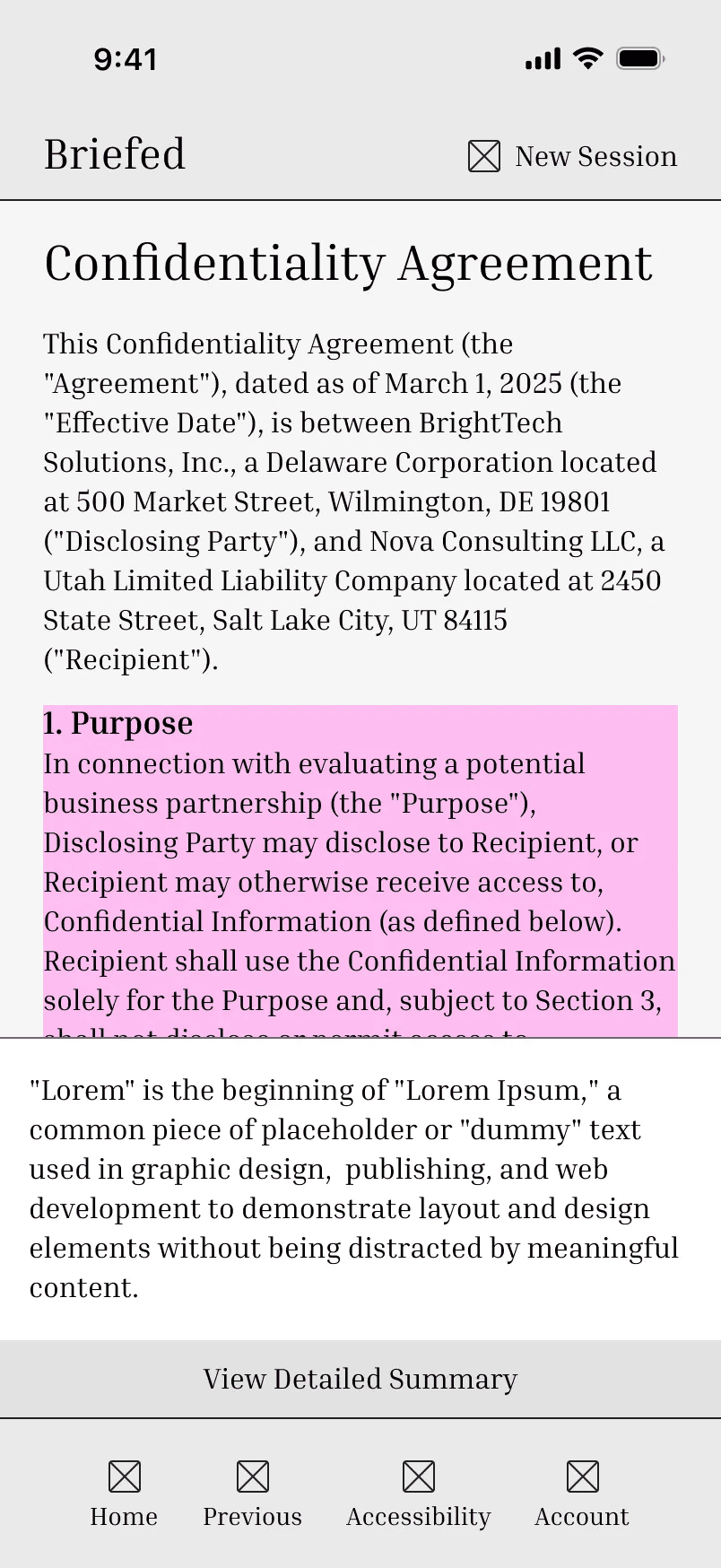
Bottom navigation for screen readers
I decided on bottom navigation over hamburger menu on mobile because hamburger menus/nested menus can be more difficult for screen readers.
Changes to make
Move the account nav item to the top since that’s where users expect to find it.
Remove the toggle for easier screen reader and keyboard-only use.
Accessibility
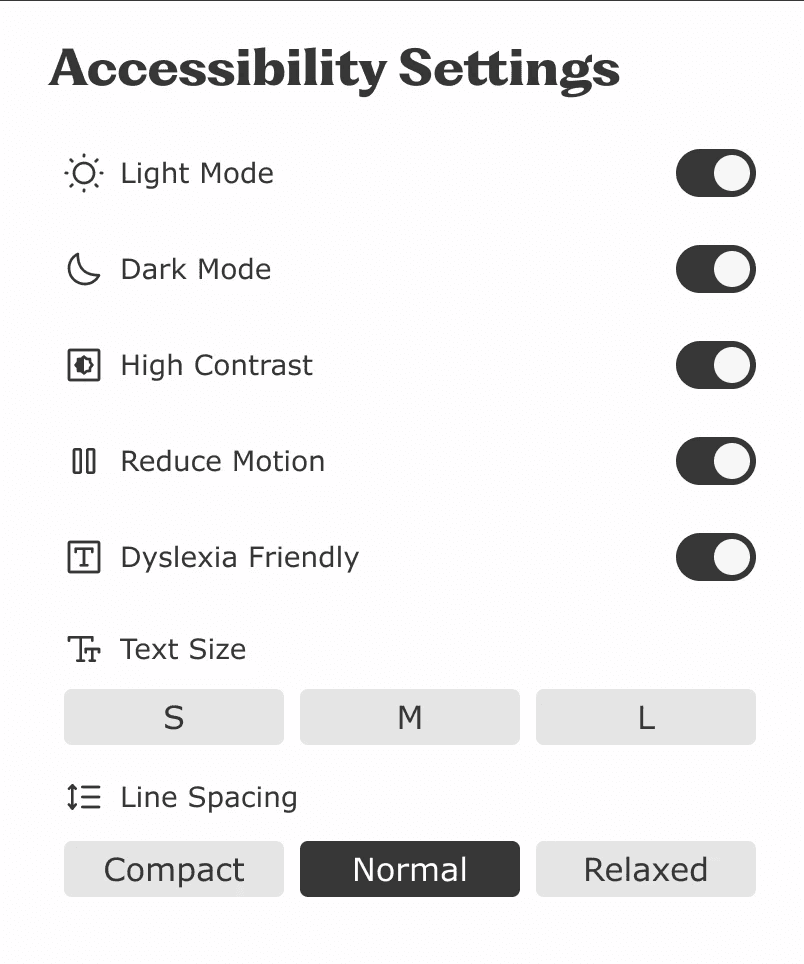
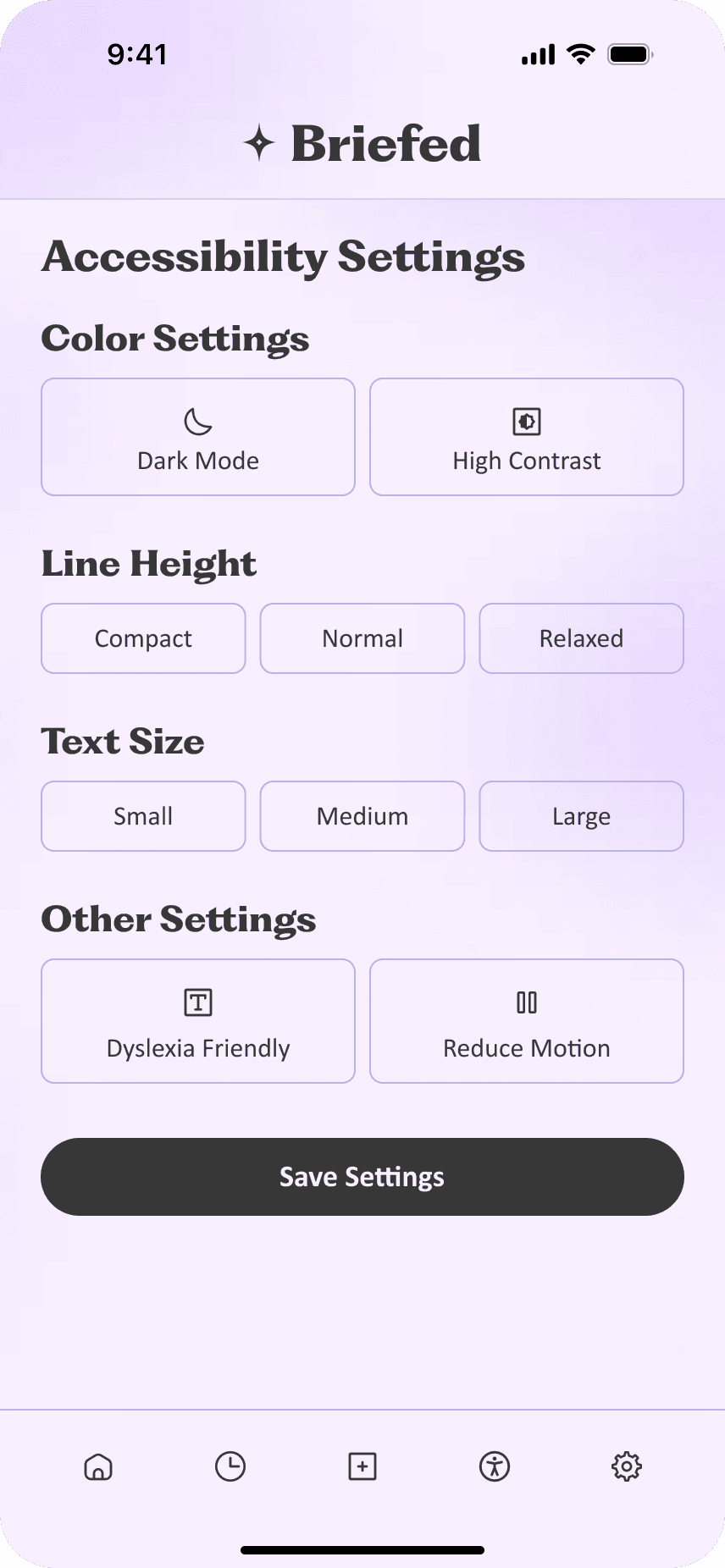
Accessibility settings that cover it all
I did my best to select accessibility settings that were sure to cover a wide range of challenges, including visual impairments, cognitive disabilities, learning disorders, etc.
Usability testing
The AI tool was too confusing at first
I conducted 3 rounds of usability testing with a small number of users. I measured task completion rate to ensure the task flow is smooth and user ease rating, focusing heavily on user feedback and observations.

"There's no instruction to tell me what to do"
In early testing, users were confused about what the AI tool does and how it works.
Accessibility settings were easy to locate and change
There were no issues with the accessibility features during testing, so I could prioritize fixing the AI tool.
Iterations
There were lots of design variations…
The most time on the design was spent in the final stretch of usability testing and iterations.
I tried adding guidance
User feedback from this iteration made it clear that I need to make the AI tool more intuitive. Users should be able to understand how it works with minimal guidance.
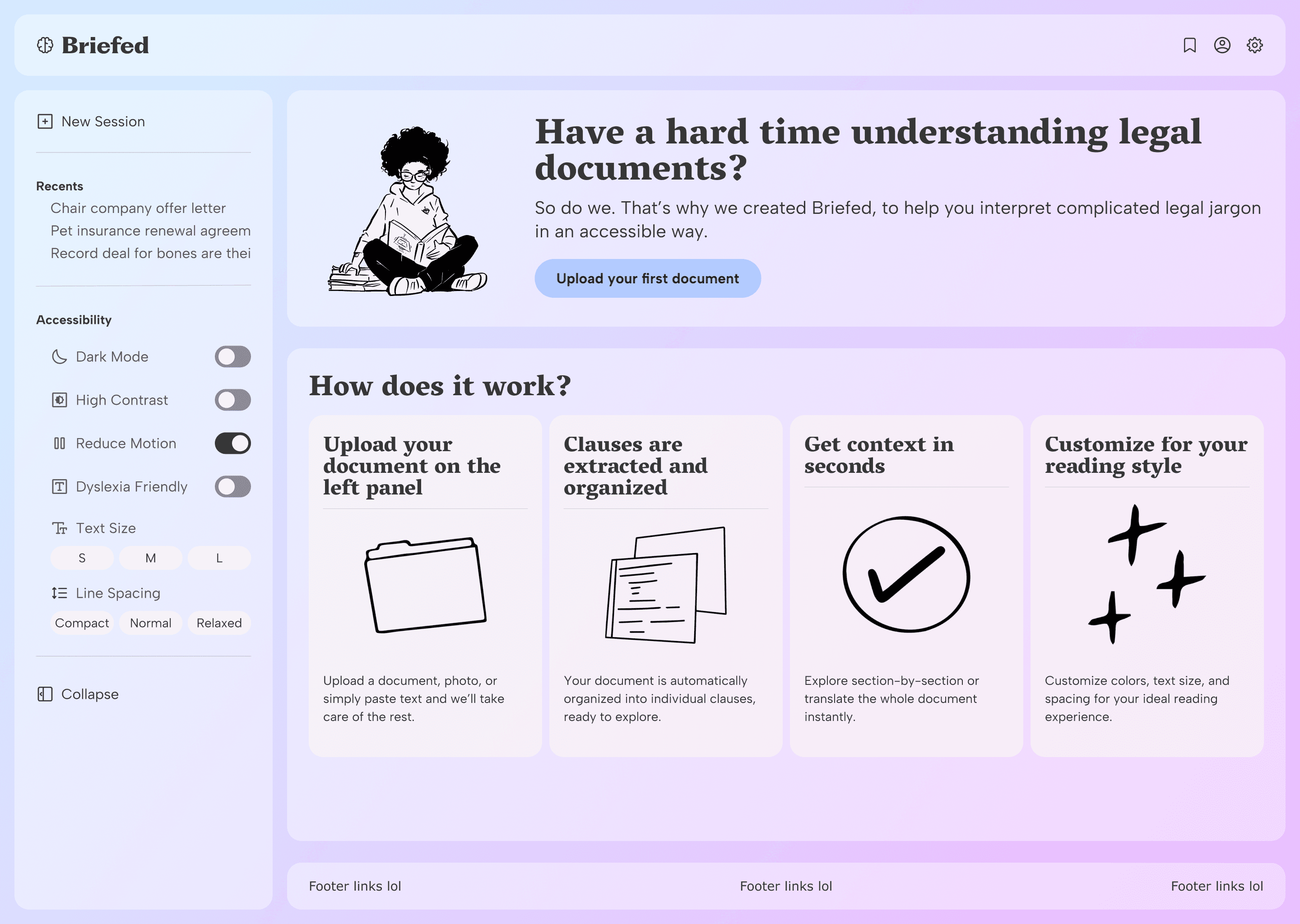
Creating two panels improved visual hierarchy
I separated the accessibility settings into their own panel to reduce cognitive load and improve visual hierarchy. This gives users less to process at once and creates better visual organization.
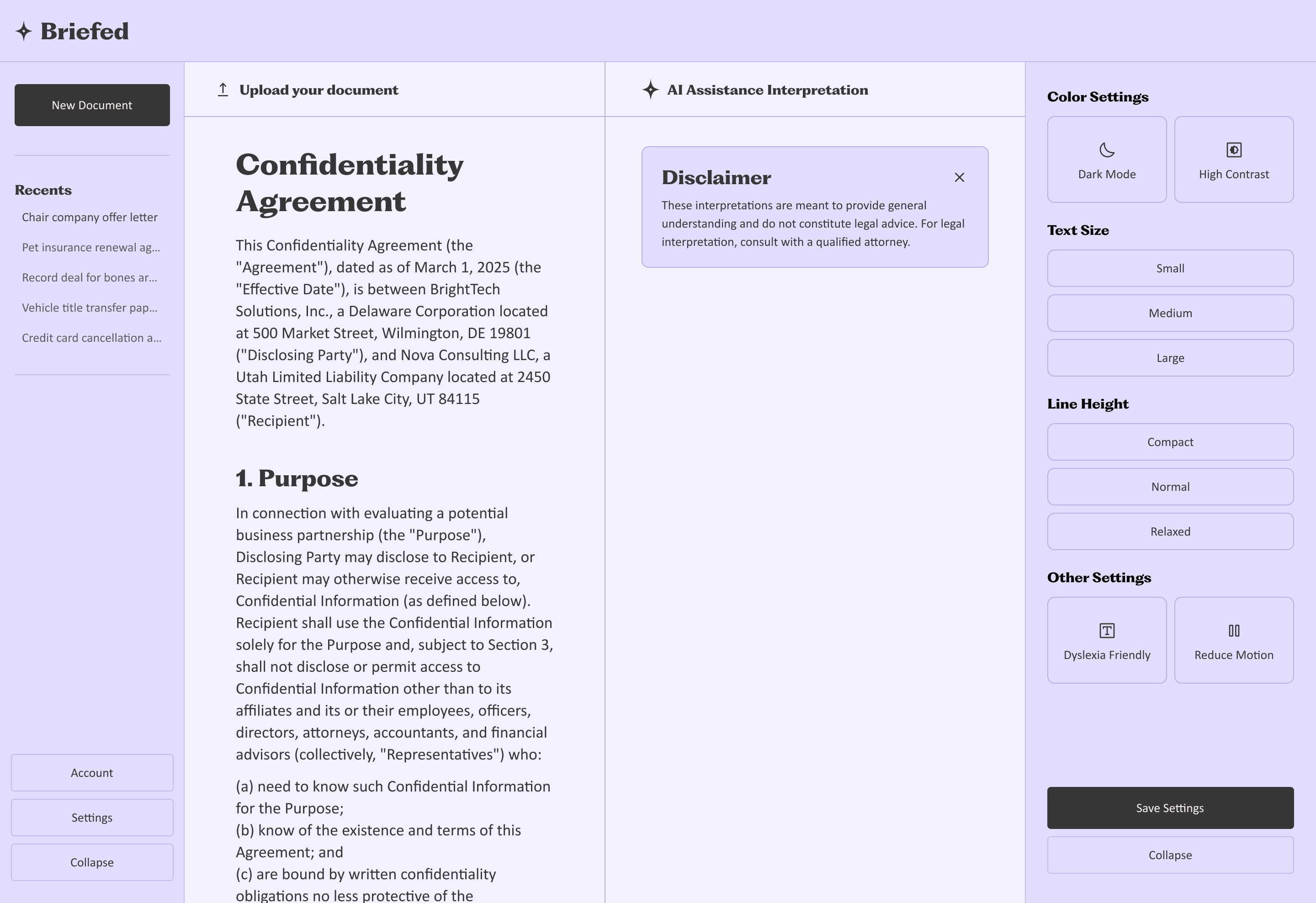
Adding clear CTA after sections improved task success
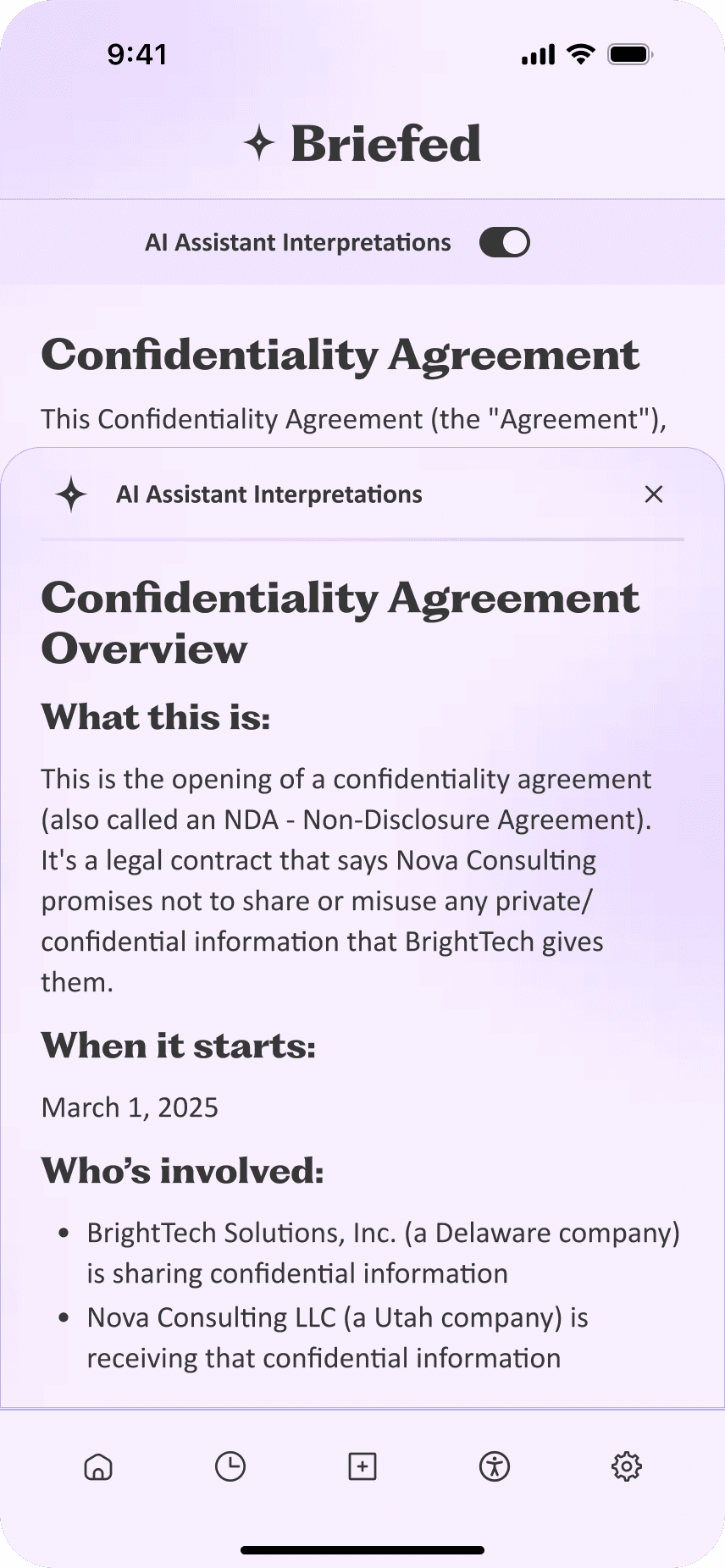
Initially on mobile, users would tap sections to see the AI interpretations. There was no indication to show users they needed to tap sections, which led to frustration.
Original mobile flow

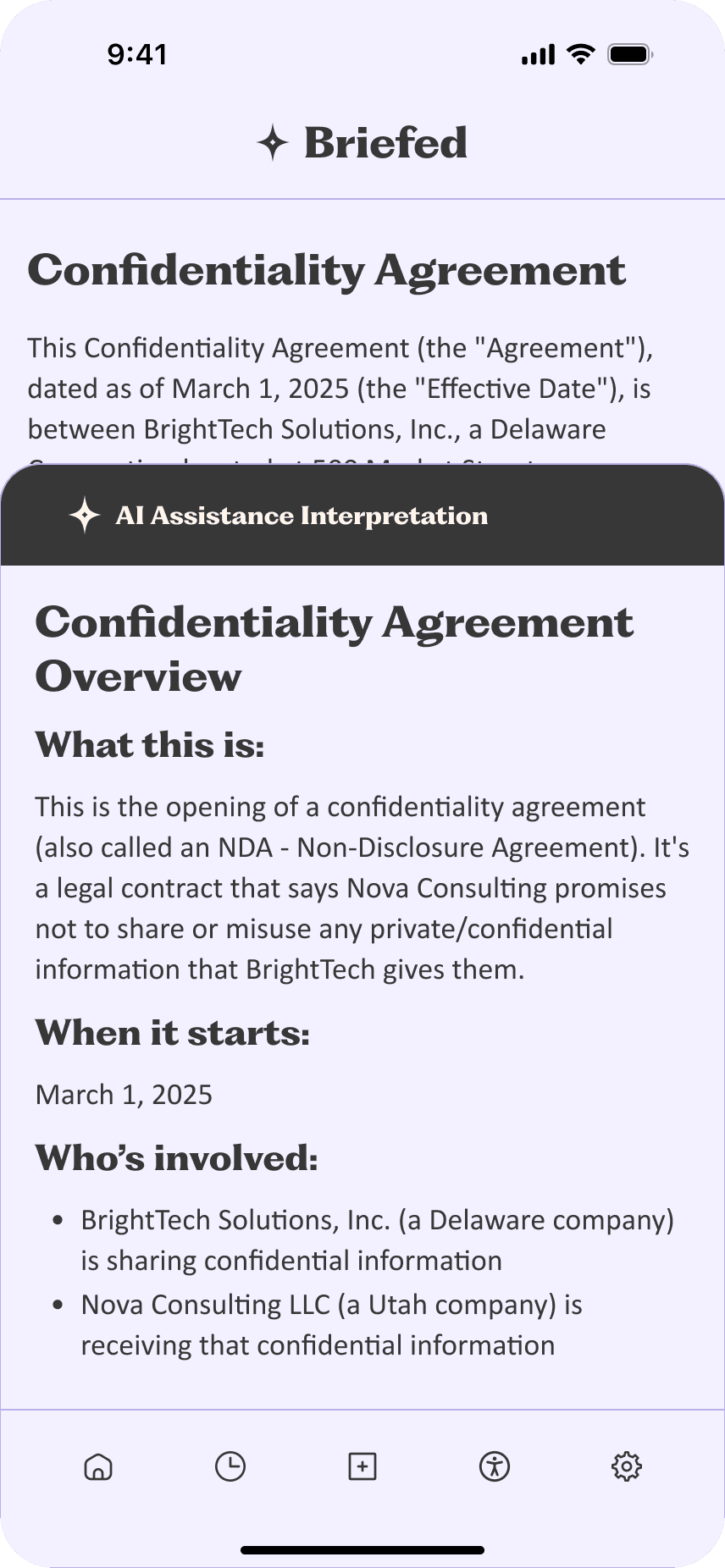
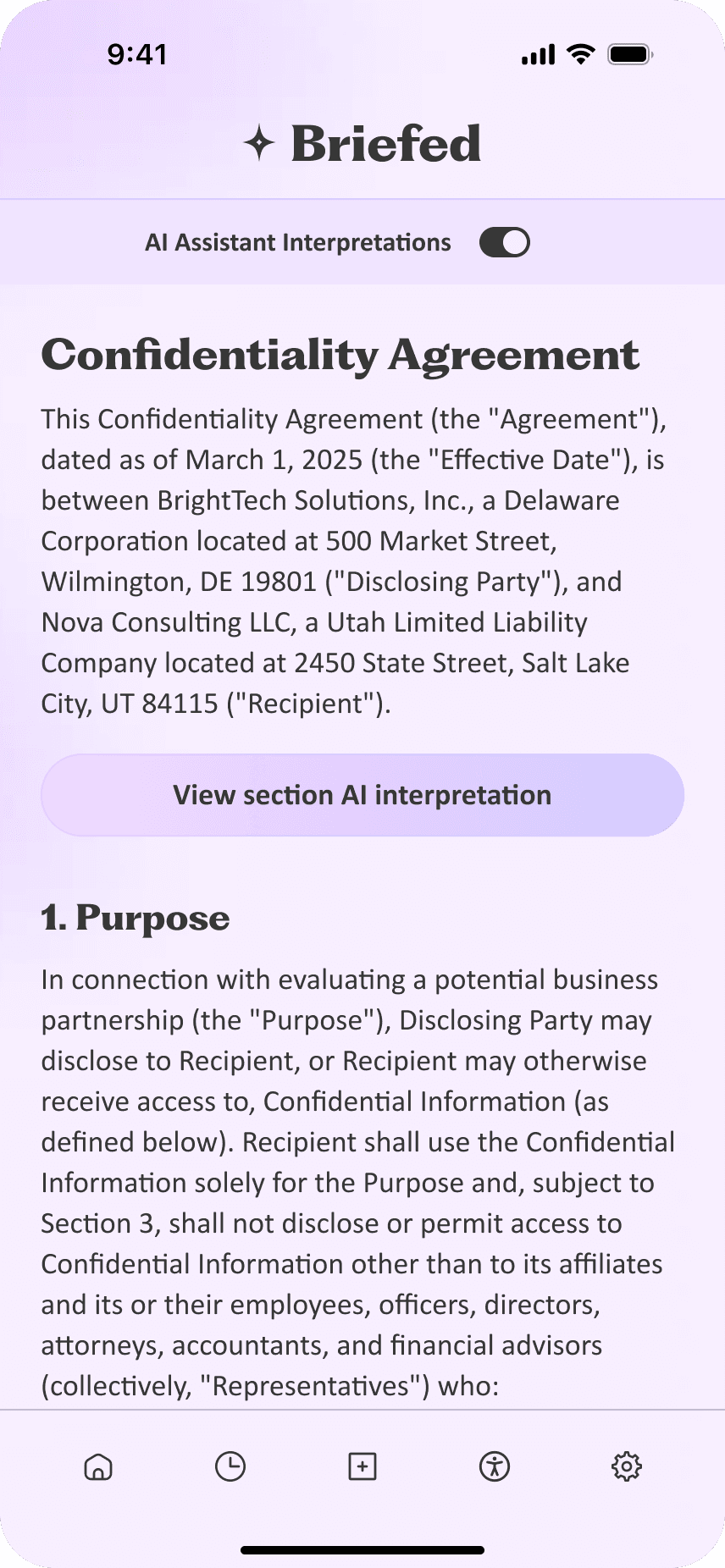
Updated mobile flow
I added buttons at the bottom of each clause that showed users how to see the AI translations. Adding clear CTA after each section improved task success rate and accessibility!
Final impact
Goals exceeded after final testing
My last set of design updates passed with flying colors after putting them through a final round of user testing.
Design met AAA WCAG 2.1 Standards
Task completion was 100% with no errors.
Final product
Final Deliverables

Final takeaways
Changes I would make with a launched product
If this product were to actually launch, here's what I'd do differently:
More accessibility testing
I didn't have the opportunity to test with users with disabilities during this project, but with additional resources, I'd prioritize inclusive user testing to ensure the design is accessible and meets accessibility standards for users across a range of abilities.
Collaborate with AI engineers and researchers
As a solo project, I did my own AI research to inform my design decisions. In a professional setting, I'd love to work closely with AI engineers and researchers to make sure the tool works seamlessly, addresses any design gaps, and is ethically responsible.