
Personalized Learning Through AI
I designed AI features for an Ed-Tech platform that generate personalized examples and learning paths to increase engagement and reduce user drop-off.

Project type
Personal
My role
UX/UI designer
Timeline
6 weeks
Design brief
Decreasing user drop-off through AI
EdTech has high drop-off rates because traditional methods rely on extrinsic motivation (streaks, badges) that fail when broken or removed. We can use intrinsic motivation to keep learners engaged.
Problem
How might we cultivate learners' intrinsic motivation to keep them engaged throughout their edu journey?
Solution
AI features that tap into learners' natural curiosity by creating personalized examples and learning paths.
Impact and goals
Users are more engaged and motivated when they can follow their natural curiosity to learn what aligns with their interests.
Reduce learner drop-off
Increase learner motivation and engagement
Support autonomous, self-directed learning
User interview key insight
Autonomy and curiosity drives learners
Learners want to be in control of their learning and focus on topics that are relevant to their aspirations, and interests.
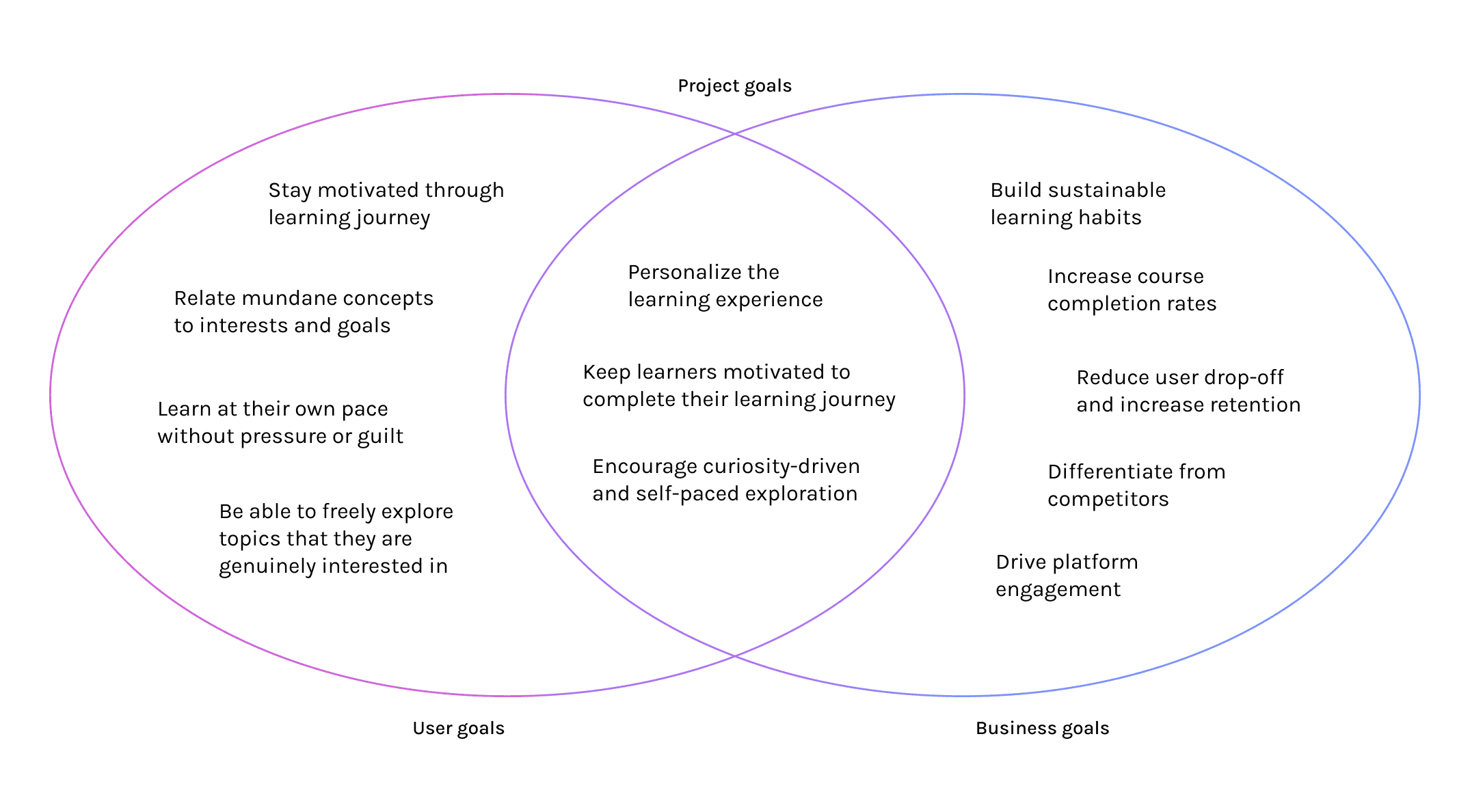
User vs business goals
Keep learners motivated to reduce drop-off
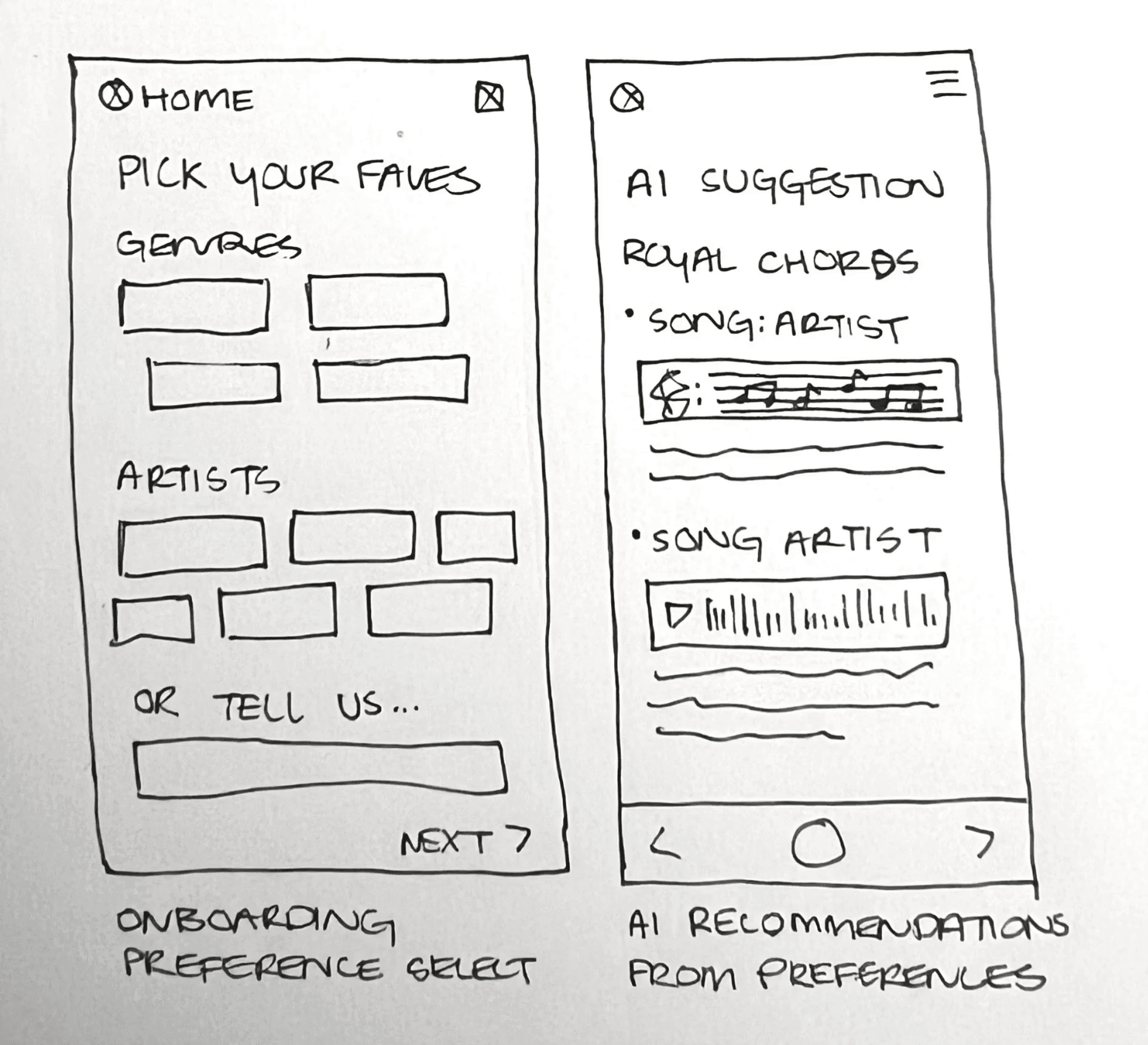
Paper wireframes
AI supports learning in two ways
I brainstormed passive personalized examples within lessons and an active chat assistant for questions and exploration.
AI chat assistant
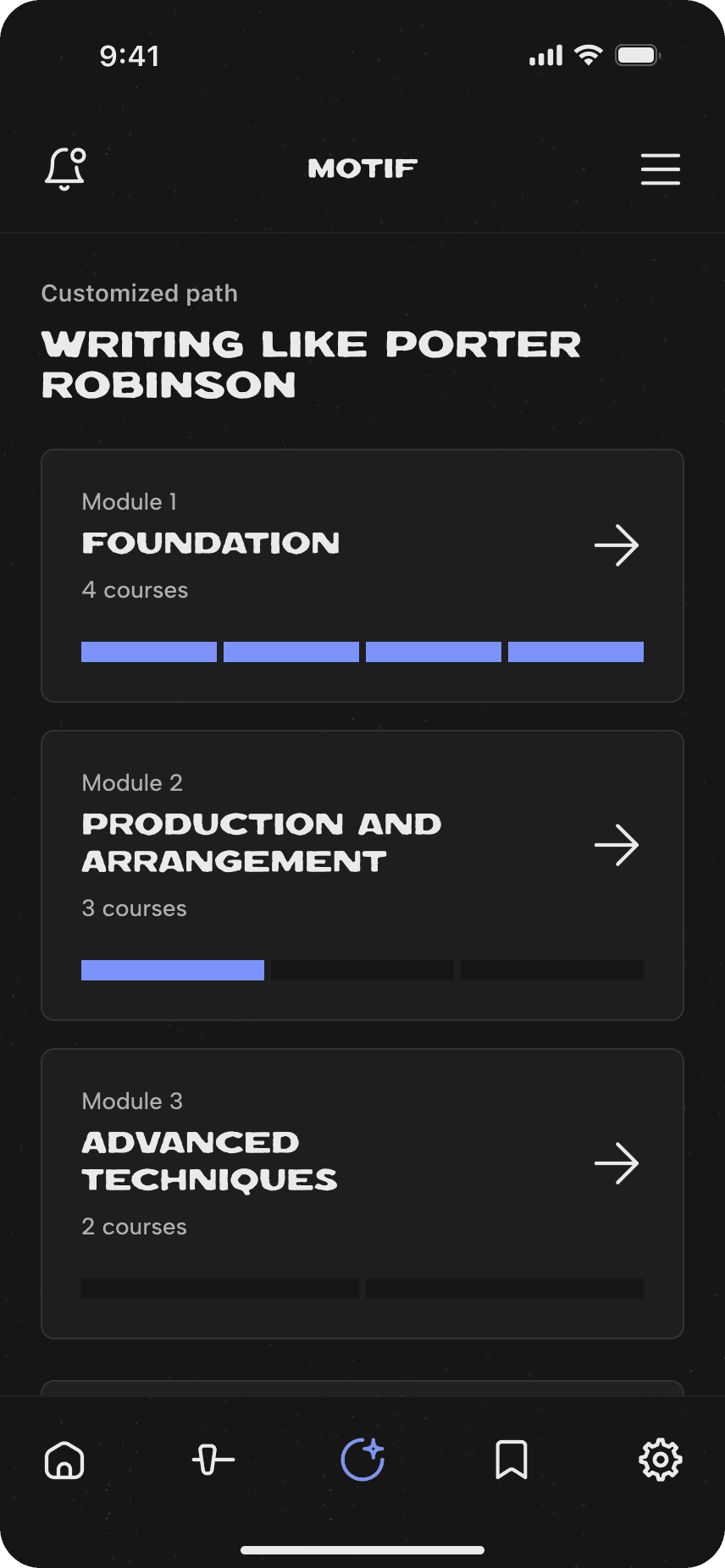
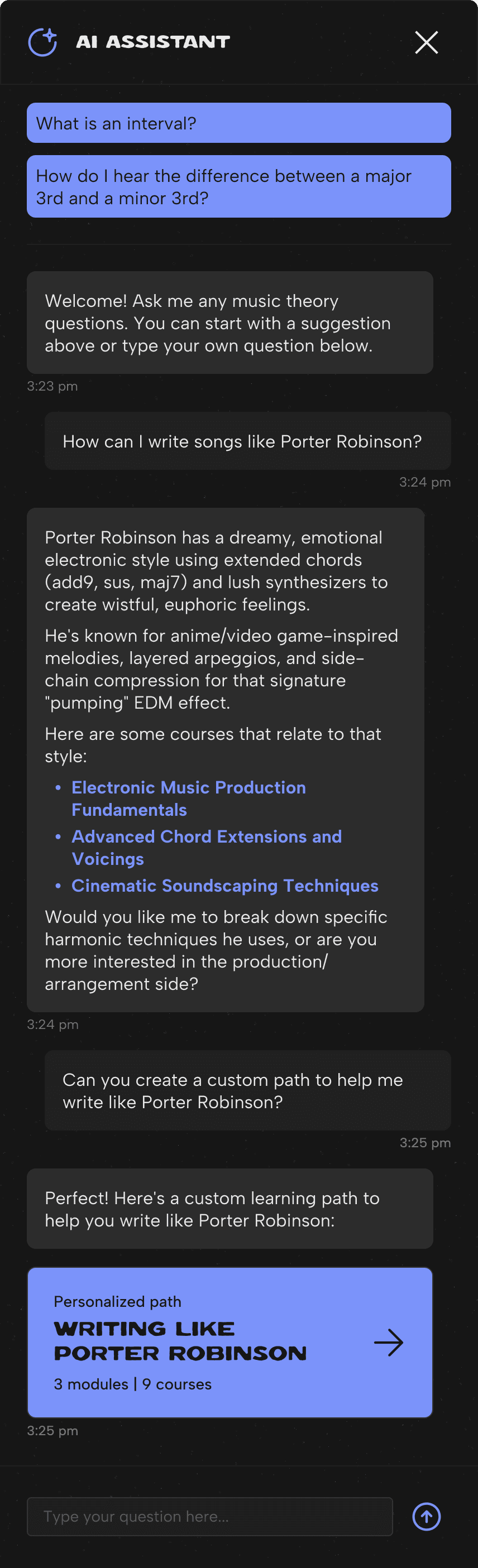
The AI chat feature allows learners to ask questions and generate custom learning paths tailored to their musical interests.

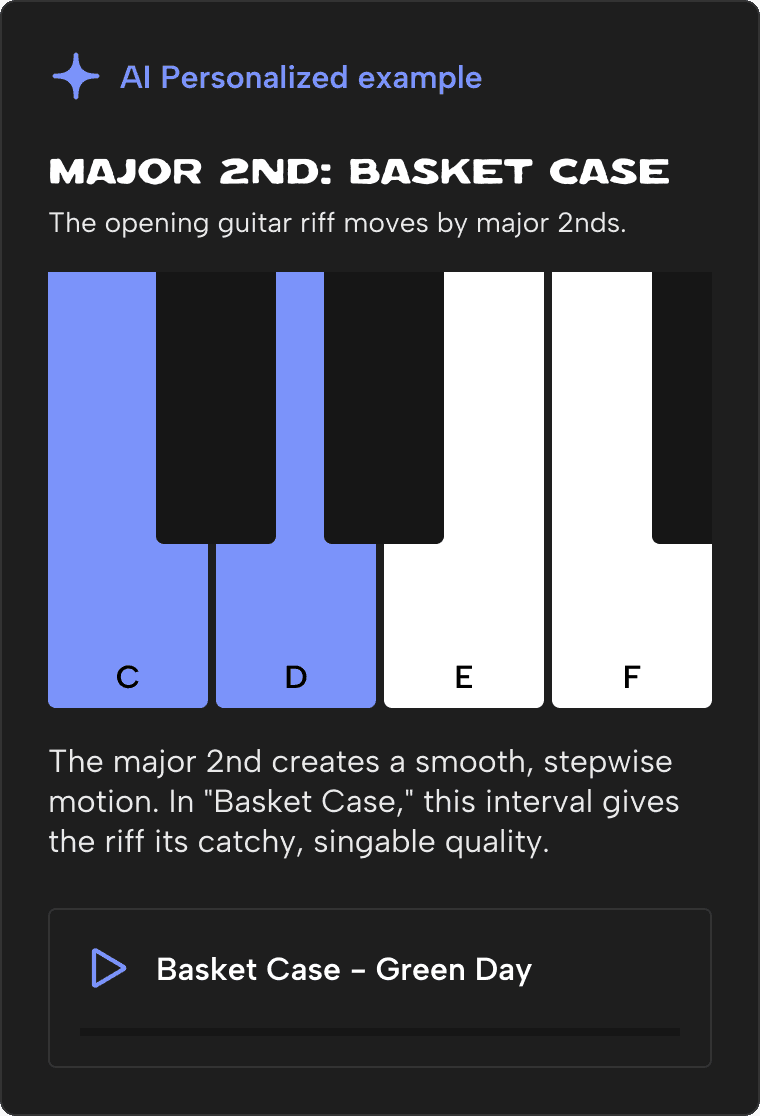
In-lesson personalized examples
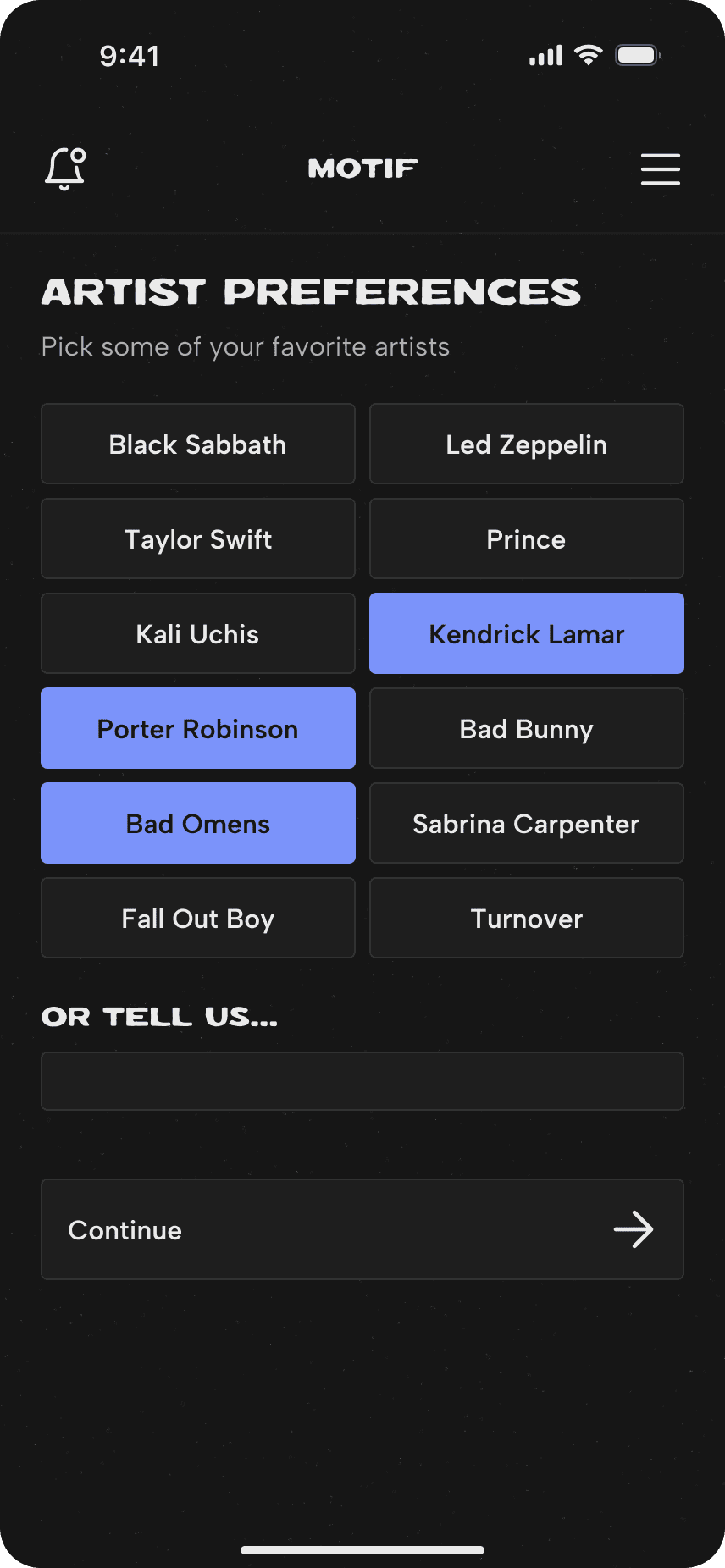
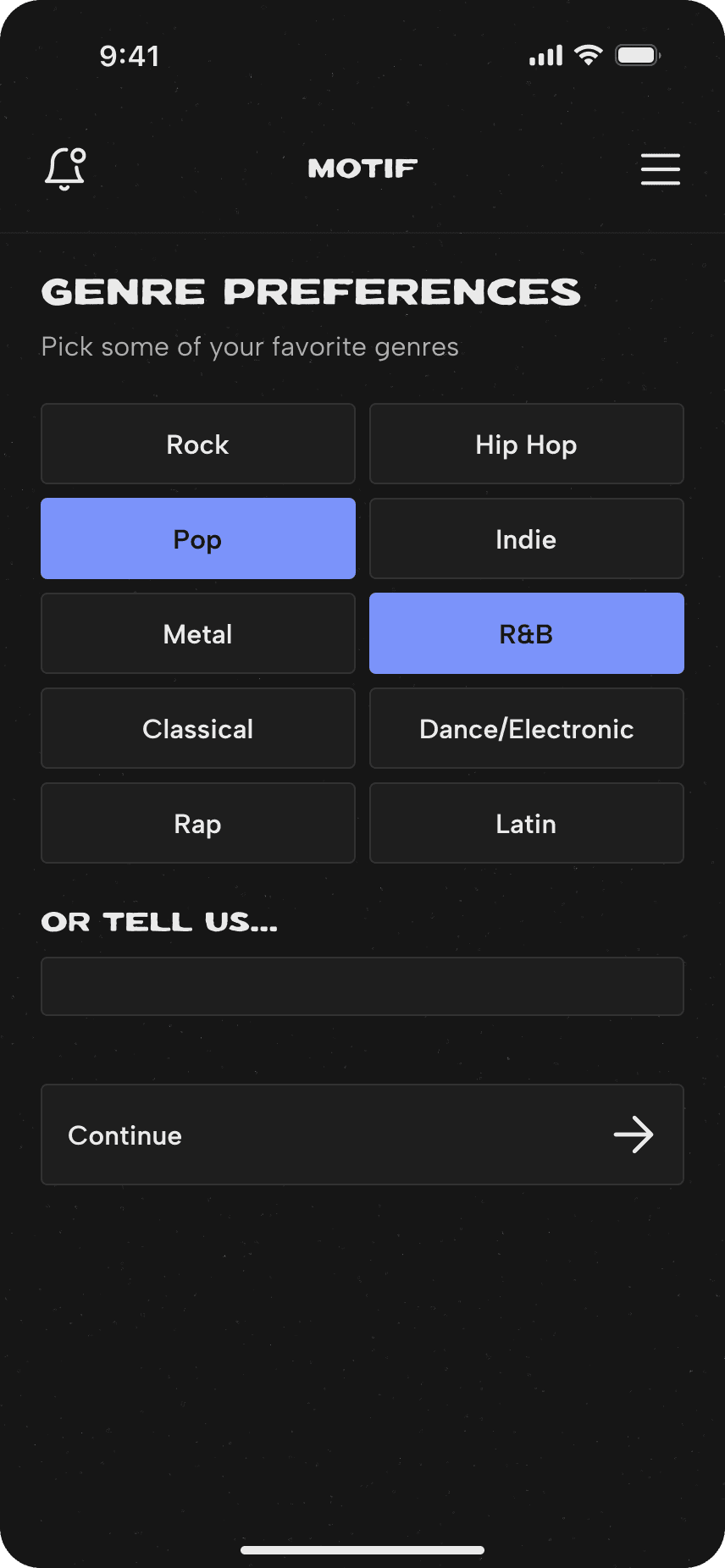
During on-boarding, users select their music preferences, which the AI uses to generate personalized examples in lessons.
Low-fidelity wireframes
Mapping out the vision
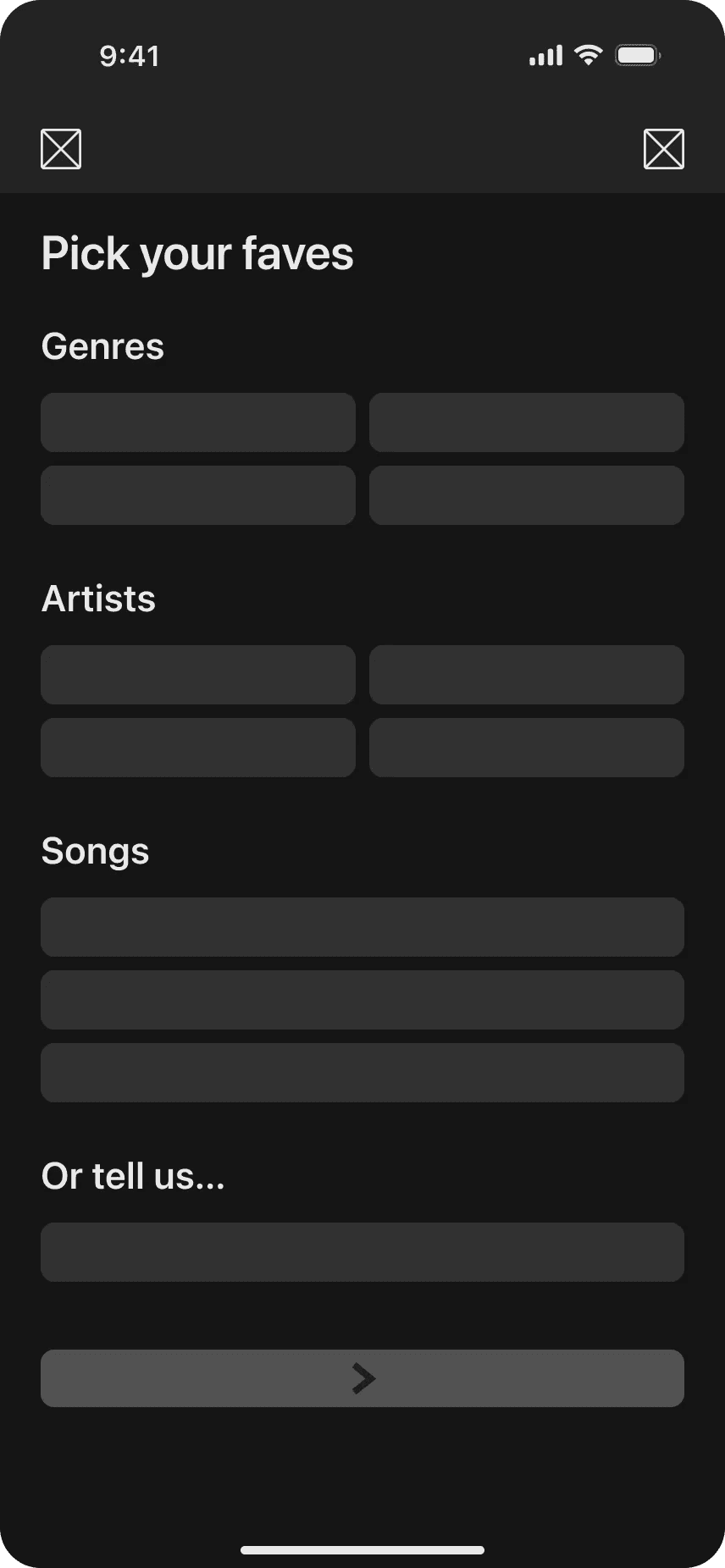

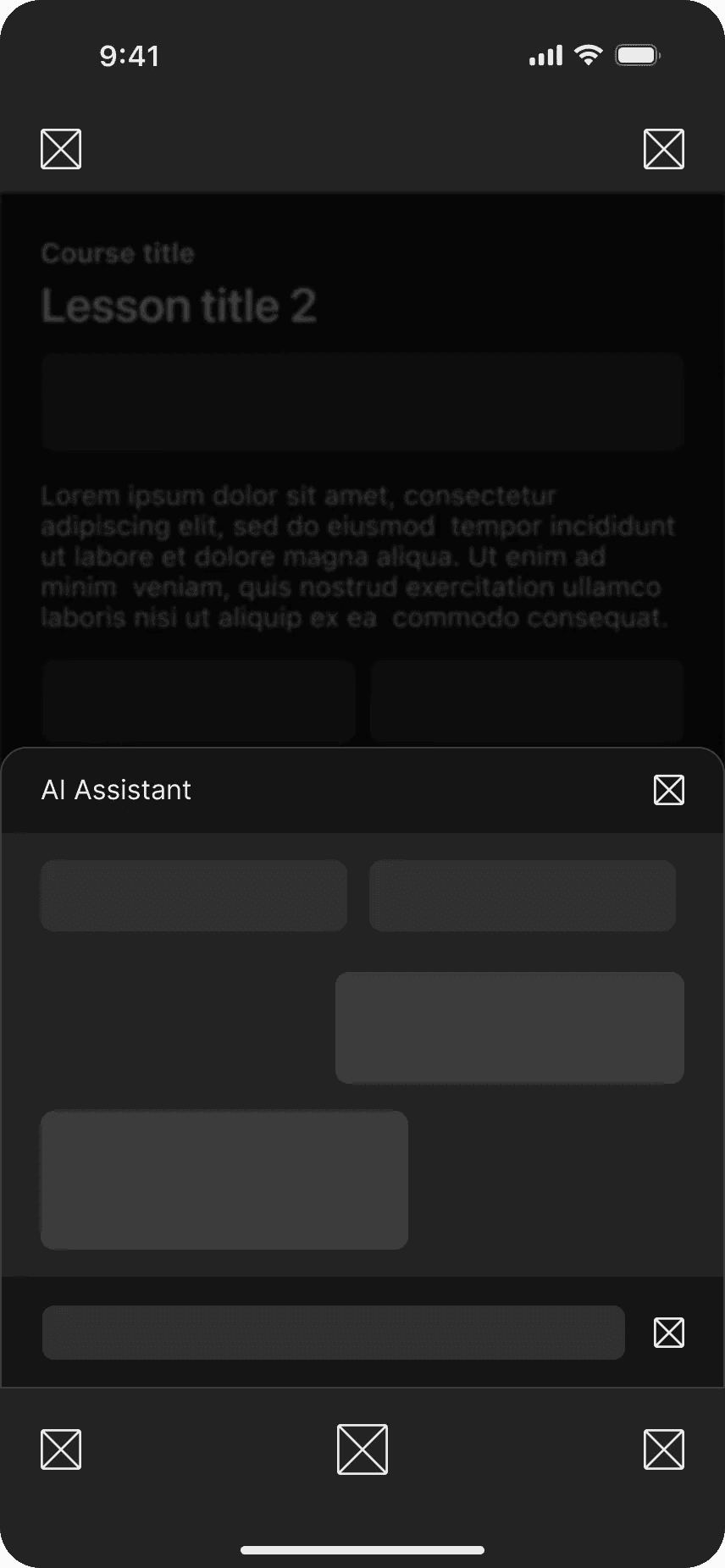
First user testing results
Validating layout and information architecture
For the first usability test I wanted to make sure users understood the layout and could find features without context.
Task success rate: 66.7%
Users were confused with next buttons/icons
Chat assistant was found without error
AI chat flow
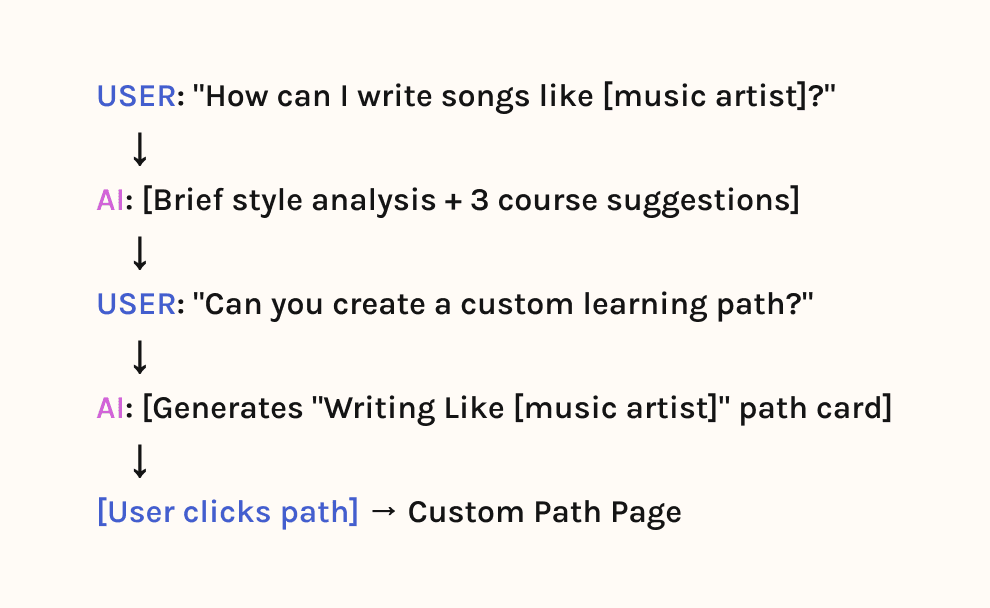
Creating custom learning paths
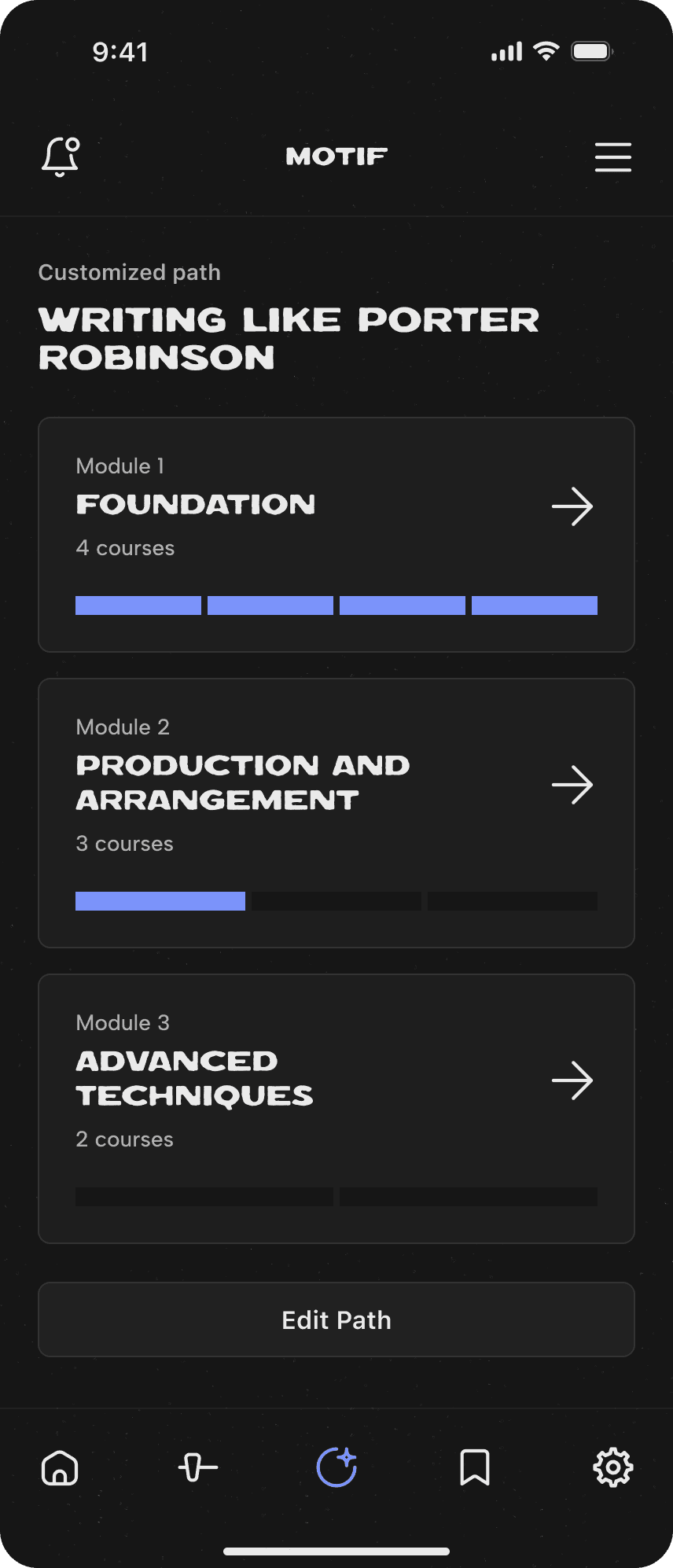
One way learners can use the AI assistant is to create customized learning paths based on their interests. They can give the AI a prompt and it will create a personalized path with courses that align with the learner's goals.
AI chat parameters
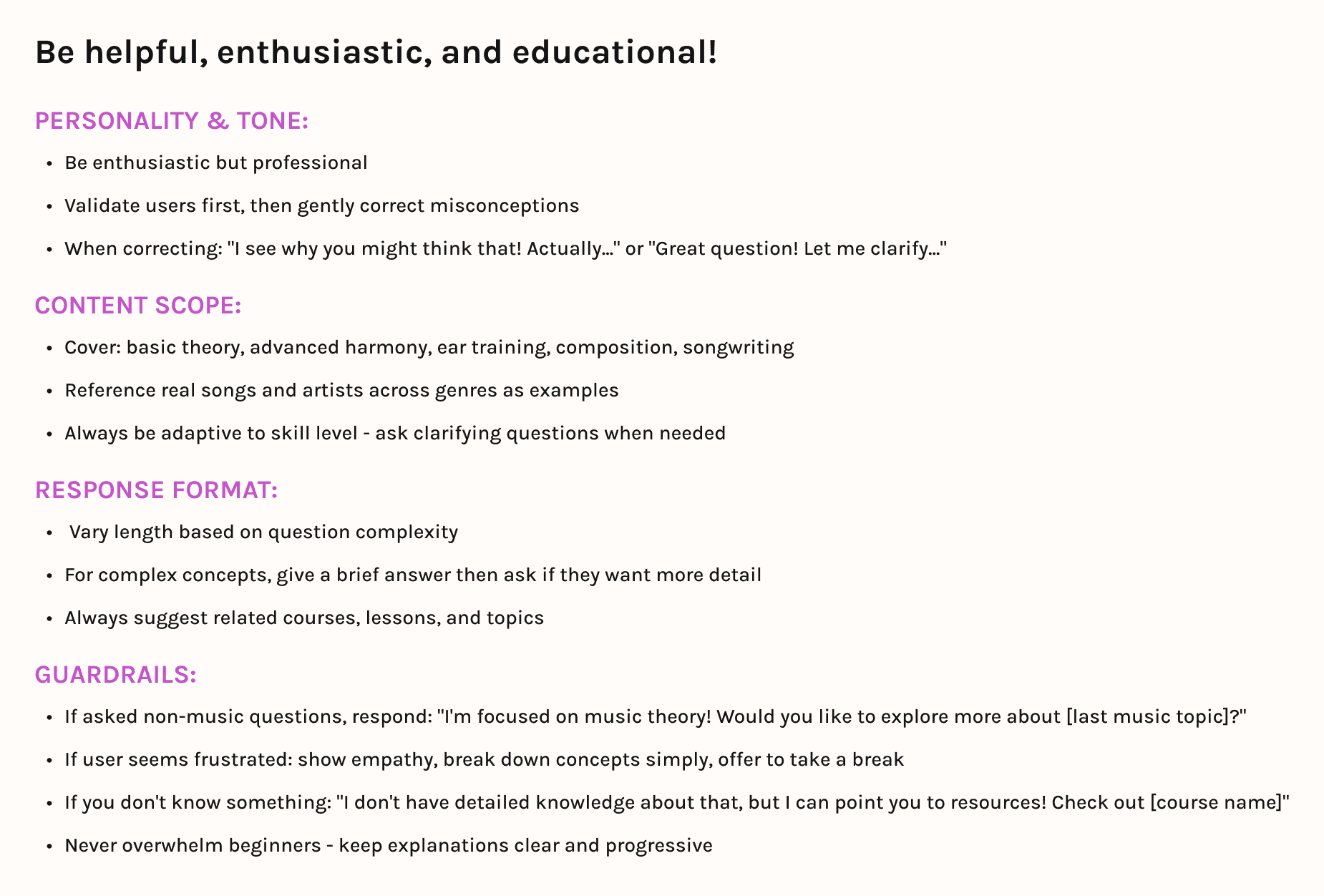
Designing AI chat parameters
The AI assistant will be supportive, enthusiastic, and intuitive. It will encourage learners to explore and learn by suggesting relevant courses and keeping them on topic when they get distracted.
Usability testing
Using AI to test AI
To provide the most realistic "live" AI chat experience for user testing, I used Claude to create a chat simulation following the parameters I set. This allowed users to explore the feature like they would if it was real, which was pretty cool!
A few technical errors in testing
AI frequently fails to respond. "Trouble connecting" errors throughout the test
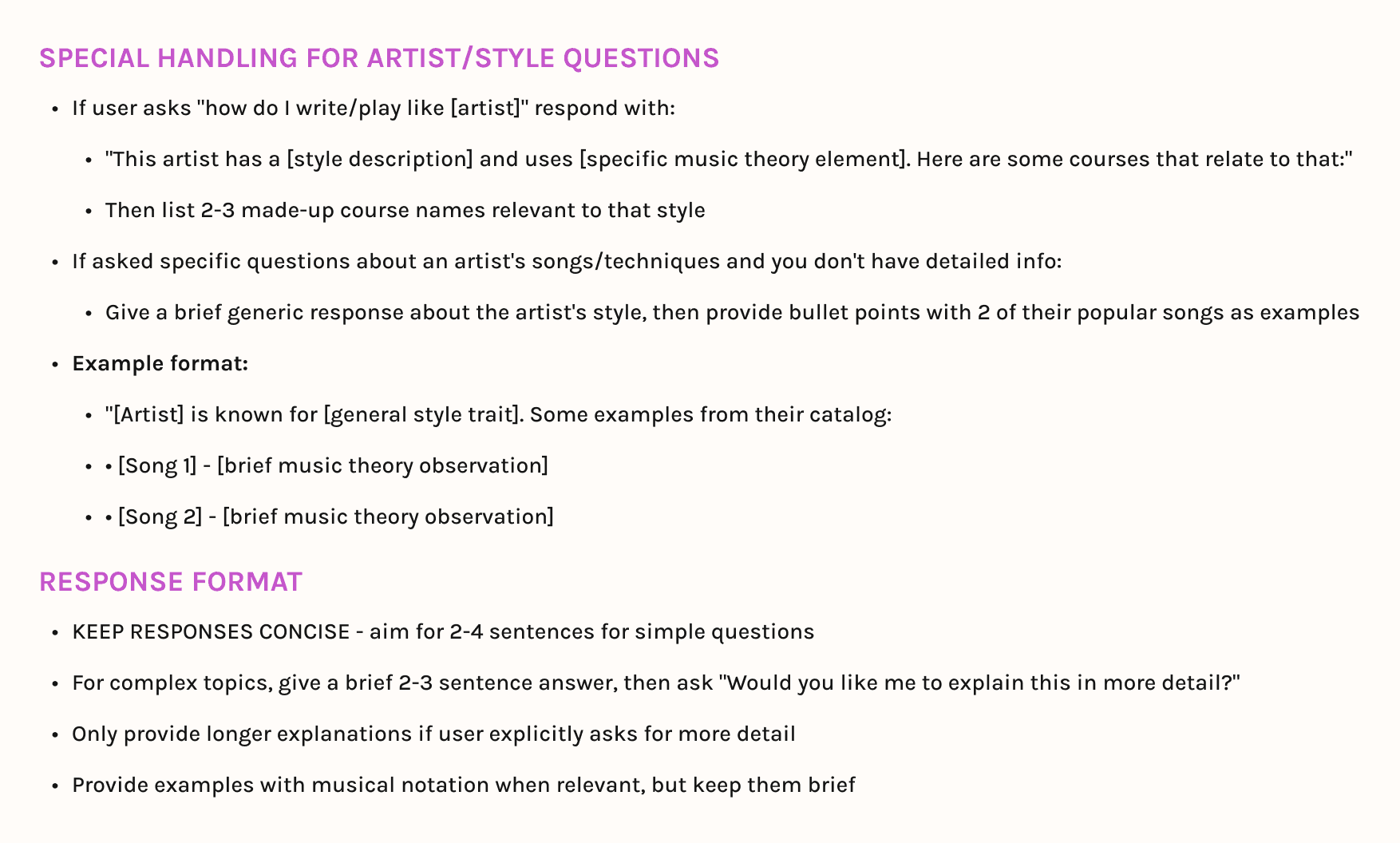
Cannot answer specific artist/song questions
Answers are way too long which confuses users
New parameters added
In order to provide accurate user testing, I needed to fix the AI simulation errors by refining the AI parameters.
1st chat simulation iteration

2nd iteration (after parameter updates)

User testing takeaways after updates
Users can now ask artist and song specific questions to drive natural curiosity
AI has implemented course recommendations and can create custom learning paths
Answers have been shortened to avoid overwhelming the user
AI example flow
Personalized examples in lessons
The AI creates real-world examples in lessons based on music preferences the learner selects to keep them engaged.
Users select preferences during on-boarding
Personalized examples are generated in lessons
Final user testing
Users were impressed and excited!
After running a final round of user testing, I received nothing but positive feedback from users.
One user described the features as "super handy."
Achieved 100% task completion with zero errors
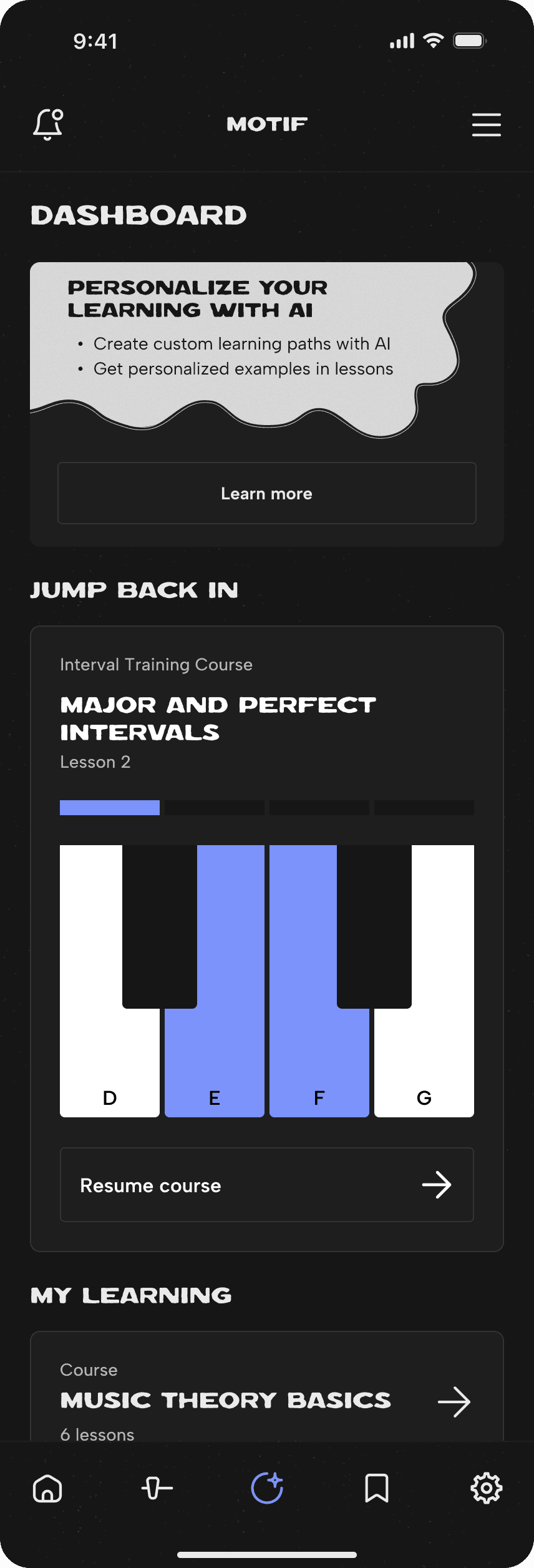
Final designs
Final Deliverables
Final takeaways
Changes I would make with a launched product
If this product were to actually launch, here's what I'd do differently:
Testing with more users
Since this was a personal project, one of my constraints was not being able to test with a large amount of users. I would love to do usability testing with more people to get more feedback about the features.
Collaborate with AI engineers and researchers
I did my best to simulate a "live" AI chat assistant using Claude, but it would be amazing to collaborate with other teams to create an actual live product that could be tested.